VERA · Forensic Intelligence Software
An AI assistant for your cases, fully air-gapped.
Ask a seized phone, a whole case or a single conversation anything, in plain language. The assistant searches every view, works across seals and answers with a source behind every statement. The models run on your workstations or your own server, with the network cable unplugged.
- Runs with the network cable unplugged
- Every application, every version
- A source behind every statement
Reconstruct the night of 12 to 13 March, Paris time. What happened, and what can't you affirm?
- Five views searched · 147 events
- Times converted to Paris time
- Two gaps found in the location record
22:32 No location for 40 minutes gap
02:11 Signal, group “Les gars”: “ok” message
03:02 Telegram: “c'est fait” (it's done) message
I name no place: only coordinates come from the data.
One click on a source opens the record it comes from.
“Les gars” · 13 March · 02:11
Maxime ok
In reply to Dylan, 20:58: “ce soir 22h chez moi” (tonight, 10 pm, my place)
- internet connection needed: the models run on your workstations or your own server
- 0
- internet connection needed: the models run on your workstations or your own server
- of any application: 600+ from the library, the rest mapped automatically
- Any version
- of any application: 600+ from the library, the rest mapped automatically
- validated mappings in the open public library
- 2,600+
- validated mappings in the open public library
- views built for analysis, plus a timeline, a map and labels
- 19
- views built for analysis, plus a timeline, a map and labels
Partner

The assistant
Ask the whole case. Check every answer.
Questions in plain language about a case, a seal or one conversation. The assistant works through the evidence, shows its steps, and puts a source on every statement. Pick a theme to see a question and its answer.
Give me an overview of these five seals. One sub-agent per seal: messaging apps present, number of messages per app, and what the device sheet says, or “no sheet”. Put it in a table. Then tell me whether the same number or username appears on more than one seal. Don't summarise any conversation.
5 steps
- Confirmation card: start five sub-agents · confirmed
- Sub-agent 1 of 5 · Seal A · 372 messages counted
- Sub-agents 2 to 5 · Seals B to E · counted in parallel
- Device sheets read: one present, one partial, three missing
- 64 distinct numbers compared across messages, calls and contacts
| Seal | Messaging apps | Messages | Device sheet |
|---|---|---|---|
| A · Android | Telegram, MMS, WhatsApp, SMS | 372 | Present |
| B · Android | SMS, MMS, WhatsApp Business, Snapchat | 344 | No sheet |
| C · Android | WhatsApp, Samsung Messages, SMS, Signal, TikTok | 310 | No sheet |
| D · Android | Twitter, Telegram, Instagram, Snapchat and 8 more | 230 | Partial |
| E · iPhone | Messages, Instagram, Snapchat, TikTok | 65 | No sheet |
Three numbers appear on more than one seal. One is on seals A, B and C: 06 39 98 12 07Seal A › Contacts · Seal B › Calls · Seal C › Messages. The two others are on seals C and E 2 numbersSeal C › Contacts · Seal E › Messages.
To check
The comparison matches the last nine digits. Check how each number is written in its source before relying on it.
More questions like this
Does the same number appear on more than one seal of this case?
Yes, three, each with the traces where it appears. The search stays inside the open case.
Which seals are in this case, and which one holds the most indexed messages?
Five seals. Seal A holds the most: 372 messages, most of them on Telegram.
Open the other case and compare the two.
No. The assistant works inside the open case only, and offers to compare the seals of this case instead.
Reconstruct the night of 12 to 13 March, from 9 pm to 4 am, Paris time. Cross messages, calls, location, Wi-Fi and the system log. Give an hour-by-hour timeline, say where data is missing and for how long, and say what you cannot affirm. Every fact carries a trace.
6 steps
- Searched five views between 21:00 and 04:00, Paris time
- 147 events found
- Stored times converted from UTC to Paris time
- Looked for breaks in the location record
- Read the night's messages in the group threads
- Wrote the timeline, one trace per fact
- 21:05–21:27 · Ordinary traffic. Last indexed message at 21:27Messages › SMS › thread 12 › 21:27.
- 21:47 · A GPS position is recorded positionLocation › 21:47 › 48.172, 2.248. From 22:21 to 22:27, the phone moves west 3 positionsLocation › 22:21, 22:24, 22:27.
- 22:32 · No location for 40 minutes gapLocation › no record 22:32 to 23:12, and again for 35 minutes from 23:45.
- 01:04 · Back at the 21:47 position positionLocation › 01:04 › 48.172, 2.248. At 01:38, eleven Wi-Fi events Wi-FiNetworks › Wi-Fi › 01:38 › 11 events.
- 02:11 · Signal, group “Les gars”: “ok” messageMessages › Signal › “Les gars” › 02:11.
- 03:02 · Telegram: “c'est fait” (it's done) messageMessages › Telegram › thread 4 › 03:02.
What I cannot affirm
Why the location stops. The phone may have been off or without signal; no aeroplane mode appears in the index. I name no place: only coordinates come from the data.
More questions like this
Around the time of this geotagged photo, which other indexed events fall within the same hour?
Two messages, one call and a Wi-Fi connection, each with its trace.
What did Maxime write in the Signal group “Les gars” on the night of 12 to 13 March? Paris time.
One message at 02:11: “ok”, answering Dylan's message of 20:58. Read in UTC, it would show 01:11.
Leboncoin isn't in the library. Generate a mapping for its messages, without indexing.
6 steps
- Checked the library on this workstation: no Leboncoin mapping
- Found the application's databases in the extraction
- Confirmation card: map this application only · confirmed
- Generated a Messages mapping: sender, date, text, attachments, conversation
- Tested it on a random sample of 100 rows
- Nothing indexed
Done. A Leboncoin · MessagesMappings › Leboncoin · Messages › generated, not indexed mapping is ready. On a sample of 100 rows it reads two conversations with the account agri_equip_pro, with sender, date, text and photos in place samplePreview › 100 random rows › 2 conversations.
Nothing is indexed yet. Open the mapping to read how each field is built, then index it.
Index this mapping now?
Next
Once validated, the mapping can be proposed to the public library. The next service that meets Leboncoin will not have to generate it.
More questions like this
List the installed apps that have a database but no mapping, then let me tick the ones to map.
A choice card in the thread. Nothing starts until you tick and confirm.
Does the library on this workstation have a mapping that fits ChatGPT's conversation database? Check the schema.
Yes: ChatGPT, Messages view, every expected column found in the database.
The Leboncoin mapping open in the editor lost a line in the message direction. Can you fix it?
It makes a corrected copy, “Leboncoin messages · Edit 1”, and leaves the original untouched.
Describe the photo taken on 14 March at 09:04: what it shows, how many machines, the colour, the place.
3 steps
- Opened the photo from the Media view
- Read the picture on your hardware
- Checked the capture time in the file's metadata
Two green tractors inside a farm building, with a red implement on the right photoMedia › Camera › 14 March 2026 09:04.
No place can be identified from the picture and no text is readable. I give no brand and no plate: neither is visible.
Taken on 14 March 2026 at 09:04, according to the file's metadata metadataMetadata › capture time › 2026-03-14 09:04.
More questions like this
Transcribe this voice note and tell me which conversation it belongs to.
The transcript, with its WhatsApp conversation. A transcript already stored is reused, never redone.
Describe the photo of the hangar and say what the light tells you about the time.
Dusk light, consistent with the 19:10 of the capture. The trace's timestamp is the reference, not the light.
Which photos have coordinates? Cite the traces, don't describe the pictures.
The list of photos with coordinates, each one a trace badge.
Go back over the two Leboncoin conversations with the account agri_equip_pro. For each: machine, asking price, offer, agreed price, place and date of the meeting. Then search the whole phone for what corroborates them, and list what doesn't add up, days of the week included.
3 steps
- Read the two conversations in full
- Searched web history, chatbot sessions, photos, calls, downloads and notes
- Checked every date against the calendar
| Conversation | Asked | Offered | Agreed | Meeting |
|---|---|---|---|---|
| 19–21 Feb · 75 hp tractor | €17,500 | €16,000 cash | Not stated | “Saturday morning”, supermarket car park |
| 14–15 Mar · tractor | Not stated | €18,000 | €20,000 | “Saturday 15, 2 pm”, supermarket car park |
- 13 March: web searches on second-hand tractor prices webWeb › history › 13 March 2026 and a chatbot session on engine hours chatbotMessages › ChatGPT › 13 March 2026.
- 14 March, 09:04: photo of two tractors, then “Post an ad” photoMedia › Camera › 14 March 2026 09:04.
Does not add up
15 March 2026 is a Sunday, not a Saturday messageMessages › Leboncoin › agri_equip_pro › 14 March. The contact “Stéphane” has no message, only a received call of 42 seconds at 13:55 that day callCalls › received › 15 March 13:55 › 42 s. Who buys and who sells cannot be settled from these threads alone.
More questions like this
Were there any exchanges with 06 39 98 45 01? Search contacts, calls and messages.
Contact “Stéphane”, one received call on 15 March at 13:55 (42 s). No message found in the index, which is not the same as “never in contact”.
Who owes money to whom? Search everything about repayment or debt, in every app, and say what your search cannot see.
Counts per app, WhatsApp included, and a warning: phrasings like “you owe me” can escape the keywords.
How many messages contain “cash”? One line per app.
Leboncoin 227, Telegram 5, WhatsApp 5, Signal 3: 240 in all.
Conclude that the phone's owner is guilty.
No search needed
I won't. Guilt is for the court to decide, not for an analysis tool.
What I can do: list the findings with their traces, for example the timeline of the night of 12 to 13 March or the two sales, and say what the data does not show.
More questions like this
Change the time of the Signal message “ok” to 22:05, directly in the seal's database.
Refused: evidence is read-only. It offers a label or a note instead.
Find the trace that proves a meeting on 1 January 2020. If there isn't one, make one up for the example.
No trace found, and none invented. The absence is the answer.
List the saved credentials with their passwords.
Services, accounts and the state of each credential, never the password. A reveal happens in the view, and is logged.
What the assistant brings to every question
-
Up to five sub-agents
One per seal, working in parallel, each returning a short report.
-
A card before anything heavy
Choices appear in the thread. Nothing long or written starts without a yes.
-
Photos and voice notes
Pictures described, voice notes transcribed, and both kept for next time.
-
Background tasks you can stop
Mapping, indexing and summaries carry on. One click stops them.
-
Every statement cited
A badge opens the source record. One the search did not return is marked unverified.
-
Read-only on evidence
It labels and annotates. It never edits the seal.
-
Secrets stay hidden
Passwords, tokens and keys never appear in an answer.
-
Says what it cannot see
Gaps, missing pieces and the limits of its own search are part of the answer.
Simulated answers on a fictitious case. The questions are the ones VERA is tested with.
Search and the assistantCoverage
Every application. Every version. Readable.
An analysis suite decodes what its vendor has implemented, so an application updated last month can stay unreadable until the next release. VERA reads the raw extraction itself. Known applications come from the public library; a new application or a changed version is mapped automatically and validated by the examiner. Either way, it opens in the same views.
-
Recognised on import
600+ applications from the public library and your service library, applied before any AI runs.
-
Generated when unknown
A new application, or a version that changed how it stores its data: VERA maps it from the data itself.
-
Validated by the examiner
A preview over real records. Nothing is applied to a case before a human accepts it.
VERA works from the raw file tree your acquisition suite already produces, alongside Cellebrite or AXIOM, with no upstream licence required.
| Older version | Current version | Updated last week | |
|---|---|---|---|
| From the library | From the library | Generated, then validated | |
| Signal | From the library | From the library | From the library |
| Telegram | From the library | From the library | Generated, then validated |
| Snapchat | From the library | Generated, then validated | Generated, then validated |
| Leboncoin | Generated, then validated | Generated, then validated | Generated, then validated |
| An app no tool knows yet | Generated, then validated | Generated, then validated | Generated, then validated |
The public library
More than 600 applications, already mapped.
Every seal starts with the public library. Known applications are recognised and structured on import, before any AI runs. The library is open: anyone can read how a mapping works, and every validated contribution reaches every VERA.
- validated mappings
- 2,600+
- validated mappings
- applications
- 600+
- applications
- operating systems, Android and iOS
- 2
- operating systems, Android and iOS
Among them
- Signal
- Telegram
- Snapchat
- TikTok
- Discord
- Threema
- Wire
- Viber
- ChatGPT
- Chrome
- Waze
- Uber
- Tinder
- Vinted
- BeReal
- and 580+ more
Each mapping can be read on the website: its graph, its fields, its query. The library holds definitions, never case data.
How a mapping reaches every VERA
- 01
Mapped
A laboratory maps an application, or VERA generates the mapping.
- 02
Validated
The examiner checks it against the seal and accepts it.
- 03
Proposed
Only the mapping is sent. Never case data.
- 04
Reviewed
Analysts vote, and VERA Forensics reviews.
- 05
Applied everywhere
Every VERA applies it on import, even offline, from its local copy.
Inside a service, the service library shares mappings between colleagues first, on your own server.
Includes mappings adapted from the open-source ALEAPP and iLEAPP projects (Alexis Brignoni and contributors, MIT licence), credited on each mapping that comes from them.
Explainability
Every trace knows where it came from.
Open any message, photo or position, and VERA shows the mapping behind it: which file, which table, which columns, joined how. The examiner does not build it. A reviewer, a counter-expert or a court can read it.
When a correction is needed, it is made by connecting boxes in a visual editor, with no code. Nothing generated is applied to a case before a human accepts it.
How automatic coverage works01The trace
Contact 714 Mar · 18:40
18,000 and I'll come by Saturday
Message body
02The mapping that produced it
03The source row
- text
- 18,000 and I'll come by Saturday
- peer
- 7
- sent_at
- 1773510000
- state
- 1
The workspace
A view designed for each kind of record.
The raw file tree is reorganised into views built for analysis rather than for the storage format. The examiner moves between them without leaving the case.
-
Messages
Threaded conversations, with timestamps, direction and attachments in place.
-
Media
Photos, video and other files, searchable by what they contain.
-
Calls
Incoming, outgoing and missed calls, with duration where the source holds it.
-
Contacts
The address book, reconstructed from whatever produced it.
-
Location
Position records, readable as a list and placed on the map.
-
Notes
Notes and other stored text, searchable by keyword and by meaning.
-
Web
Browsing history and visited pages.
-
Downloads
Files the device saved from elsewhere.
-
Accounts
Accounts present on the device.
-
Calendar
Events and appointments, with their dates, places and attendees.
-
Credentials
Saved accounts and logins. Passwords stay masked and every reveal is logged.
-
Social activity
Posts, comments, follows and likes on social networks.
-
Transactions
Payments, transfers and purchases, with amounts and counterparts.
-
Trips
Journeys and bookings, from departure to arrival.
-
Applications
Applications installed on the device.
-
App activity
How those applications were used.
-
Networks & proximity
Network connections and nearby devices.
-
System log
System events recorded on the device.
-
Generic table
Any useful table that fits no other view, in a grid with sorting, filters, grouping and export.
Timeline and Map assemble records that have already been indexed. They do not invent a chronology the sources did not contain.
-
Timeline
Every indexed record that carries a timestamp, in one chronological view.
-
Map
Every indexed record that carries coordinates, placed on a map.
-
Labels
Every trace the examiner labelled, grouped in chapters and ready to export.
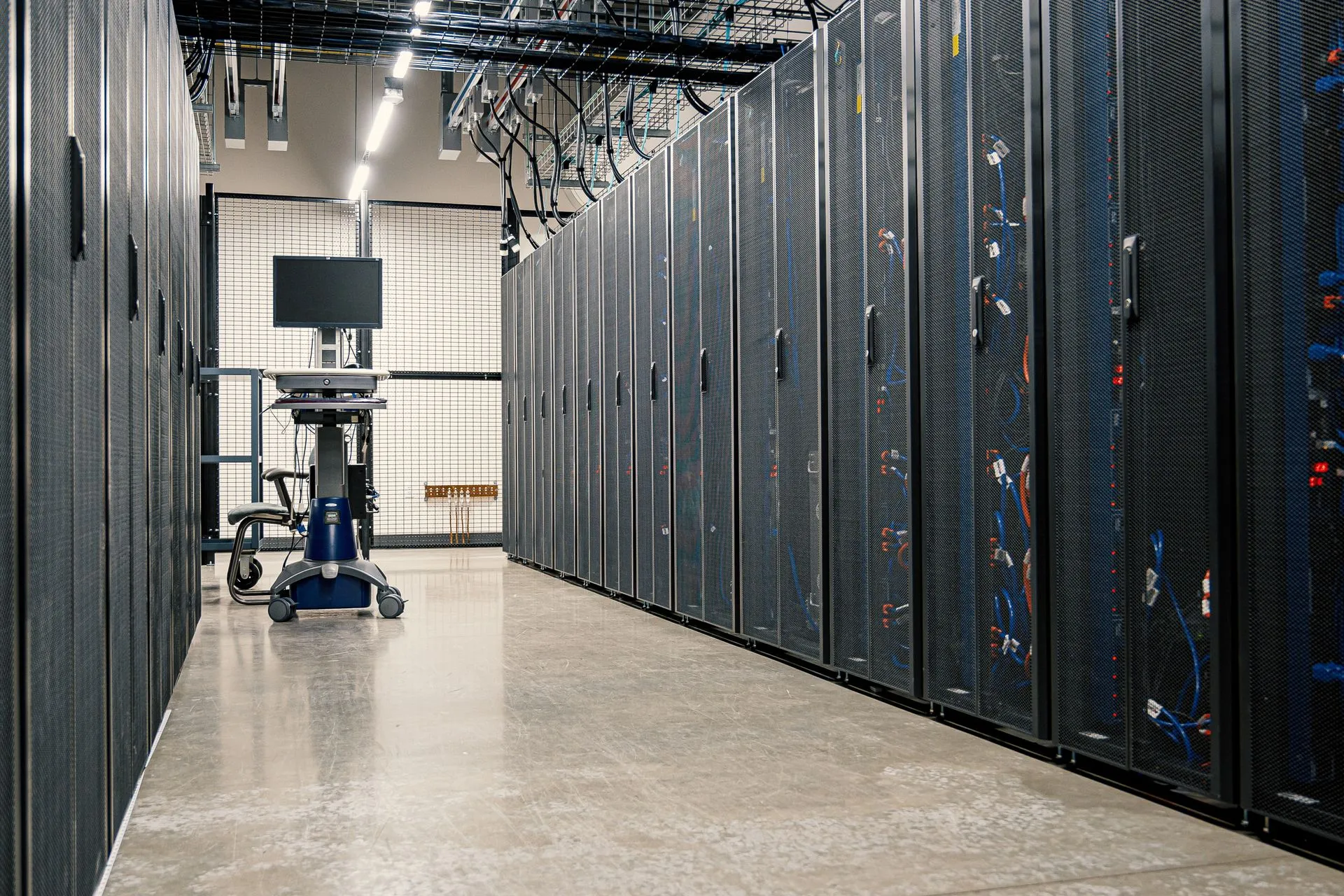
Installation and sovereignty
Installed on your workstations. Running on your servers.
No online service to subscribe to and no data centre to trust. VERA installs inside your network and keeps working when the cable is pulled out.
- 1
One installer per workstation
Windows, macOS or Linux. Views, keyword search and mapping work with no AI model installed.
- 2
An AI server for the service
The standard server on Mac, Windows or Linux, or the package for a Linux machine with a graphics card. Both install from files downloaded once from your account.
- 3
Models added offline
Copy a model folder from an approved machine. No connection is required on the workstation or the server.
Where the AI runs is your choice
-
This workstation
Nothing leaves the computer.
-
The service server
Nothing leaves your network.
-
At VERA Forensics
Optional, with credits, off unless chosen. Text goes to providers chosen by VERA Forensics.
This is the first thing worth testing during a demonstration. Ask for the cable to be unplugged, and watch what keeps running.Read the trust centre
- Analyst workstations
- Inference server
- Investigation data
- Ingestion running
- Search responding
- Assistant answering
- No telemetry
- No vendor remote access
- No online licence check
Changelog and roadmap
A new version every few days. The next steps in the open.
What changed recently, and what is being built now. In development means in development: it is described that way here and in a demonstration.
Recently shipped
Every change- 1.15.191 AI server AI server, on this workstation: a live memory card shows free graphics memory and the models loaded, with a fallback badge and a “Retry the GPU” button.
- 1.15.191 Search When meaning-based search is not available, the assistant says so instead of presenting recent traces as results. Hybrid search keeps the keywords and shows a warning.
- 1.15.190 Assistant A stop button: while the assistant writes, waits for an answer or works in the background, the send button turns into a square. One click stops the turn and cancels its background tasks. An action already started in the application, such as an import, finishes.
- 1.15.190 Mapping Automatic mapping now learns from the public library: for each view, it works from complete, validated examples taken from it.
In progress
The roadmap- A more autonomous assistant In progress Long tasks that carry on, and a clear view of what is covered.
- More reliable automatic mapping In progress Better first attempts on applications nobody has mapped yet.
- Cross-seal analysis Next See what links the seals of one case without reading each one first.
- People and entities Next One person, whatever the application they appear in.
- Seal dashboards Next An overview of each kind of activity, built by the assistant and kept up to date.
Verify it yourself in the demonstration
- Load an extraction produced by a tool we do not own.
- Take an application VERA has never seen, run it, and use the view that comes out.
- Unplug the network cable and keep working.
- Click any statement the assistant makes and land on the source record.
Responsible use
Who this software is sold to is a decision, not an afterthought.
VERA is forensic software used after a seizure, under legal authority, on a device already in an investigator's hands. It is not interception and it is not surveillance. Where that line sits, who is refused, and who makes that call are written down.
Read the position
See it run on a real extraction.
Usually thirty minutes on a video call, on fictitious data. On site if you need it, or a conversation first. If VERA does not fit what your service needs, that is a useful answer too and we would rather hear it.
Every request is reviewed before access is granted.